

Tools that feel handmade for client work
Free Chrome extensions we ship for agencies and freelancers — annotated screenshot shares, tab hygiene, and photo-real mobile preview. Small, focused, and ready for real projects.
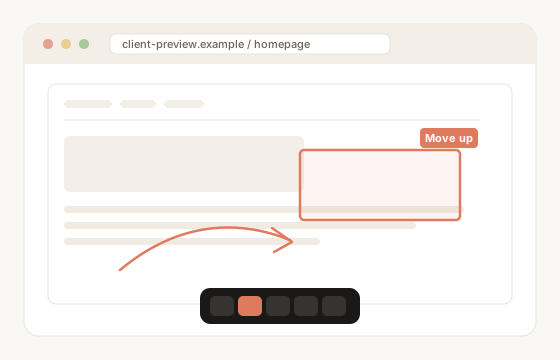
How it works
Three steps from install to client handoff.
Install from Chrome
Add ClientSnap, Tab Tracker, or DeviceStage from the Chrome Web Store. One click, no account required.
Use on real client work
Capture and mark up pages, clean duplicate tabs, preview mobile frames — on the sites you already work in.
Share when you need to
ClientSnap can upload once for a short webdev.ai link. DeviceStage exports stay on your machine or clipboard.
The addons
Free to try. ClientSnap, DeviceStage & Tab Tracker are all live on the Chrome Web Store.
ClientSnap
Capture a page, mark it up with arrows, boxes, blur, and text, then save locally or send a short link. Recipients open it in the browser — nothing to install.
DeviceStage
Free Chrome mobile simulator — photo-real device frames, live site preview, and a multi-device stage. Same-tab overlay for responsive checks without the DevTools device-mode dance.
Tab Tracker
Live tab count as the toolbar icon — big digits, threshold colors, duplicate review, and search across windows. 100% local; no network calls.
Built for agencies & freelancers
Honest tools. No fake star ratings — just what we use on client projects.
Quick picks
Jump straight to the Chrome Web Store.
More tools will show up here as we ship them. Wishlist ideas welcome — [email protected].